
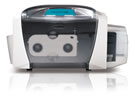
 A customer provided a question to our technical department about using ribbons in the Persona C30 series printers. The question was:
Does the printer use the same amount of “ink” no matter what is printed? That is, if we print just a little bit of text vs. a full color photo, will the ribbon run out at the same time?
An answer from our technical experts is:
The answer to your question is “yes.” A full YMCKO print ribbon uses all 5 panels and a YMCKOK print ribbon uses all 6 panels to print a card no matter how much of each of the panels are used to create the specific colors on the printed badge. There is no way to reuse the portion of the panels that are not used in the single print of one card. Even a Persona monochrome print ribbon is not able to be conserved when just a fraction of the panel is used.
If conservation of the ribbon is important, you may wish to look into monochrome printing with an Evolis ID card printer. Single color ribbons in this line will only advance the amount of print ribbon that is used to print a card.
Find Persona C30e technical support.
For additional information about Persona C30e printers or Evolis ID card printers, contact our ID card experts at 888-485-4696.