
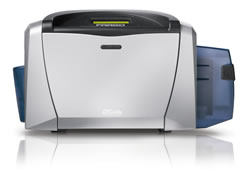
When installing a new id card printer, one of the first steps is to install the printer driver. The driver is located on the CD that is included with the printer.
When the driver is installed, an instructional window will advise you to connect the id card printer to the PC. To do this, locate the USB port on the printer. Connect the printer to the PC with the printer cable. Many printer models include a printer cable with the purchase of a printer.
To locate the USB port on the id card printer, look at the back of the printer. Some manufacturers place a piece of protective white tape over the USB port. The tape states that the ID card printer driver needs to be installed in the computer prior to plugging the printer cable into the port.
Once the printer and computer are connected correctly by the printer cable, communication can occur allowing the printer to begin printing the id badges needed.
For additional information about custom id cards and photo id card systems, contact our id card experts at 888-485-4696.