
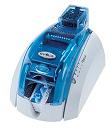
A new Evolis ID card printer comes with drivers and instruction manuals so that installation should be simple with straightforward driver and software downloads. Just in case the included CDs are misplaced or there are additional questions about your printer that you would like to research, Evolis has created a product support area on their website to assist in providing needed information efficiently. Choose the printer you need assistance with and your driver or frequently asked questions are a click away.
The driver/support area allows you to select the printer that you have. Needed information or drivers can be easily reviewed and downloaded.
For more information about Evolis ID card printers, visit our Evolis Tattoo, Evolis Pebble, Evolis Dualys, Evolis Quantum or Evolis Securion product pages.
Very nice article, exactly what I needed.