
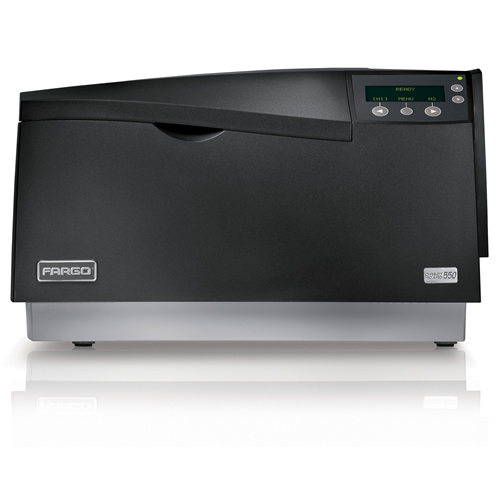
 If you are experiencing one of more thin white lines that travel the entire length of a printed card and the problem persists with every card, it is possible that you have a chipped, scratched or externally damaged printhead. It is also possible that it could be a blown pixel in the printhead.
To see if the printhead is damaged:
1. Clean the printer. Make sure to take special care when using the printhead cleaning pen to remove any particles stuck to the printhead.
2. Visually inspect the printhead for any remaining dirt.
3. Attempt to reprint one of the cards.
4. If the problem still persists, carefully remove the printhead.
5. Using a magnifying glass, inspect the glass edge of the printhead for scratches, chips or external damage.
6. If no damage is noticed, the printhead may have a blown pixel.
Printheads are only warrantied by evaluation processes through Fargo technical support. RMAs are needed for an evaluation to occur. If you see visible damage on your printhead, it will not be covered under your warranty, and you must purchase a new printhead.
For more information about Fargo printers and the Fargo DTC550 printer, our ID card experts can be reached at 888-485-4696.
Hi Javier – when the badge prints, the final step is to apply a clear varnish overlay (the “O” in “YMCKO”). It sounds like that step is being skipped, which would leave the color and black inks (the “YMCK”) exposed, and potentially subject to being scrapped or scratched off. If you check the driver settings (“Printing Preferences”), and review the settings for the “Overlay / Print Area” tab, that should show where the varnish overlay is (or isn’t) being applied. The only other potential problem would be if the cards you are using are not image-grade cards, or have been handled with bare-hands coming in contact with the printable surfaces. If incorrect cards, or if residual oils from fingerprints are on the card surface, then the inks might not adhere properly – including the varnish overlay. As you indicate this came up suddenly, I would first check the cards (try new ones from a separate box or source), then the driver settings.
Greeting:
I have a Fargo DTC1000 and suddenly when I print an ID badge and then I put it in the plastic for the lanyard, the picture gets damage. I have always use the same materials and this is the first time it happens. I proceed to clean the machine and calibrate it as manufacture indicates. I really don’t know what else to do. What do you suggest me to do.
Hi Anizie,
The printer may have a blown printhead. Our technical specialists can assist you with diagnosis and replacement at 888-485-4696.
Goodday Sir/madam,
Please my printer is having this technical hardware problem (showing lines on the id card when printed out. please what is the likely causes and how do i solve the problem. Am using Fargo DTC550 Id card printer.
Thanks
Anozie Uchechukwu