
When using a Fargo HDP5000 printer, the error code “ribbon has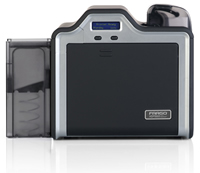 miscued” may display on the LCD screen. The printer may also display an Error Code 97. The following are the steps you can take to attempt to resolve the error and resume printing.
- Open Windows’ “Devices and Printers” screen;
- Locate the HDP5000 printer, and right-click on it with your mouse;
- Select the option for “Printing Preferences”;
- Select the tab named “Card”;
- Click the link button for “ToolBox” and a new window will open;
- In the new window, select the “Calibrate Ribbon” tab, and follow the directions provided.
If the calibration finishes normally, resume printing your cards. If the calibration does not resolve the problem, or the same errors continue to occur, please contact us about your warranty or service options, as this error is also symptomatic of a ribbon sensor that has gone bad.
For a complete list of error codes for the HDP5000, access the User Guide provided by HID Global. A list of the codes that appear on the LCD screen begins on page 65 of the PDF.
Visit our website or web store for information about the Fargo HDP5000 and other Fargo printers. For further technical support, contact us for a free consultation at +1 888.485.4696 (US & Canada), or +1 704.535.5200.
Hi Kate – if I understand your problem correctly, you are submitting a print-job to the HDP5000. The printer is not at operating temperature, so you are waiting for the image-transfer process to begin, and observing the temperature indicator climb until it reaches the required 175c setting. At this point, you are receiving the error code 273. Assuming this is correct, this error means that the image transfer module suffered a fatal error during startup. Please try the following:
o Reboot the printer (power off, and disconnect from the power source. Wait 5 minutes before re-connecting to power, and wait for printer to become “Ready”);
o Try to print again and, if this resolved the issue, continue with your work;
o If the issue persists, it is most likely an issue with either the printer’s transfer arm head-lift mechanism, or the printer main logic board will need to be replaced.
If the printer is less than 3-years old, it may be covered by Fargo’s warranty. Please contact your Fargo dealer or service center for assistance. If you are located in the USA, we’d be happy to help you obtain repair services, whether under warranty or not.
i have a problem with fargo HDP5000
after sending a work when it has counted up to 175 for it go come out it will write error 273
how can i fix that.
thanks
To get specific help with this error on your printer, call the HID technical support line at 1-800-459-5636 option 5.
Do you know how to fix the error code 290 in fargo HDP5000 ?
Jude – Please go to the print drivers and do a ribbon and film calibration for this error.
i have a problem with my printer hdp 5000
the probleme is check film error 26
please help me
Contact Fargo technical support for specific recommendations about your error message. The can be contacted at 800-459-5636 or 1-952-941-9470.
I have a problem wirth the Fargo HDP5000.
When I calibrate the ribbon, I get the message calibrate failed error: 170.
If I calibrate the film and after it I calibrate the ribbon, the fargo sais calibrate passed ok but I can’t click ok. The only thing I can do is to restart the printer.
What could be the problem?
thank you
Locate the print driver in your printers folder for the HDP5000. Look for the calibration tab and follow the directions on calibrating the ribbons. This should fix the film error.
If not, contact Fargo technical support for further assistance at 800-459-5636.
Mine is a problem with the fargo printer HDP5000,it indicates a film Error…how do i go about it? Thanx
This is probably a sensor or a problem with the main board. Contact Fargo technical support line for further assistance at 800-459-5636.
I have a Fargo card printer which developed a minor problem this mornid please help me sort out this mess It is showing me ERROR PRINTER HEAD LIFT UP WHAT COULD BE THE PROBLEM
THE MACHINE MODEL IS Fargo 550 Id printer
thanks