
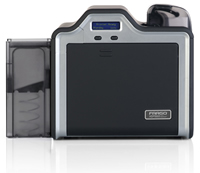
Do you need technical support for your Fargo HPD5000 or HDPii printer? Safe-Card ID Services is an authorized dealer and support center for the full Fargo printer line. There are many things you can do yourself to investigate and resolve issues. We always recommend you check for and apply any updates to the printer’s device drivers and embedded firmware. In addition, the printer reference guides provide a wealth of information on the use and maintenance of these devices. Fortunately, Fargo makes these easy to locate, especially through the Fargo Workbench Utility. These items and more can be found and easily downloaded from the support pages at the manufacturer’s website.
Printer Drivers & Firmware:
By visiting the HID Global Drivers & Downloads page, you can download current drivers and firmware for your HDP5000 and HDPii printers. To do so, select the Fargo brand and appropriate printer from the dropdown menus at the top of the page.
User Guide
You can access the user guide for the Fargo HDP5000 and HDPii printers here. This guide contains detailed information about the printers and their use.
Fargo Workbench Utility
Fargo Workbench Utility is a free utility that provides security, diagnostic and firmware upgrades. Through this utility, you can set password-controlled access to your printer, locate and print sample cards, and access printer and ribbon information. We also recommend that you use the built-in Update Manager to check for and apply printer driver and firmware updates for all current, and many legacy, Fargo printers. For more information about how to use the Fargo Workbench Utility to maintain your printer’s driver and firmware, visit our how-to post.
Call Us!
For other technical or support issues with Fargo HDP5000 & HDPii printers, or any other Fargo printers, contact us for a free consultation at +1 888.485.4696. As an authorized Fargo dealer and support center, our experts can assist with a variety of technical issues. We look forward to hearing from you!
Hi Mike – thank for your inquiry. No, there is no OVI ribbon available for the HDP5000 printers. There is a ribbon with a fluorescing panel, so images can be printed that are only visible under ultra-violet light; there are holographic transfer-films or overlaminates, and there are custom options for OVI on certain HID access cards. But not an option to print OVI images directly.
I have a hdp5000 and was wondering am I able to print optically variable images with this printer.
Hi Brian – regarding you having color-rendering issues with a brand-new printer, we strongly suggest you go back to the Fargo dealer for support. As a brand-new printer, it is under warranty in the event there is something physically wrong with it. But also, your issues may be something that will require some remote trouble-shooting by telephone with a qualified technical expert. Generally this involves sharing samples of actual-output, working to establish correct driver settings, ensuring you have the latest/best firmware & drivers for your printer, and more. In our case, we do provide free support to clients that have purchased their printers from us. Most authorized Fargo dealers will do the same – especially for a just-purchased printer.
hi my brand new fargo 5000 doesnt print the correct colours either is doo dark too light or totally different colours i tried to switch the icc profiles , used asure id 7 , photoshop, , full version of cardpresso and nothing helps plz someone help me im going nuts
Thanks for your note Alfa. These could be normal status messages, as the printer does heat and cool the transfer-roller to attempt to best maintain the temperature as set in the printer driver. You can access and set the image-transfer parameters in the driver, and the default values are a dwell time of 2-seconds per-inch, and a default transfer temperature of 175-degrees Celsius. These are good in most all instances of card-printing. If you see abnormal behavior and frequent changes in the transfer warm/cool cycles, check your power-supply to ensure it is the correct one for your printer. Typical Fargo HDP5000 power-adapters will have an output voltage of 24V-DC, and amperage of either 3.75A, or 5.0A. If all of these items check out and you still have having issues, then you may have developed a hardware problem with the transfer heater itself, or the high- or low-temperature sensors.
Hi my printer keep showing me tfr warm and tfr cool on process of printing. Thanks
Hi Rebecca – when the printer is “stuck” initializing, we’d check a few things:
1. Disconnect the printer from your PC (or network if using the built-in Ethernet jack. Then disconnect the power to the printer and, if so equipped, also the laminator. Wait 10 seconds and then, while leaving the USB/ETH ports unconnected, apply power first to the laminator, then after a few seconds to the printer. Wait for the printer to come to “Ready”, and then reconnect USB/ETH, as appropriate.
2. If following the steps above still results in the printer stuck “Initializing”, double-check to ensure you are using the correct power-adapter(s) for your printer. All Fargo power adapters have a serial-number sticker that should match the serial number of the printer itself.
3. If the power adapters are good and you still are stuck “initializing”, disconnect power once again, remove the ribbon & film cartridges & input hopper, and visually inspect the interior of the printer to ensure there are no cards stuck within. We’ve seen instances where multiple cards have been pulled inside, then become jammed. If the printer is unable to clear them as part of the normal start-up sequence, it may remain as initializing.
If all of the above do not get your printer going again, reach out to either your selling dealer (if within warranty), or any Fargo servicing dealer (like us!) for possible repair options. Good luck!
Hello my printer keeps saying initializating and it’s not printing
Hi Nathan,
This can be a complicated error that may require sending your printer in for service. Please contact our experts at +1 704-535-5200 for further support.
Thanks!
Please , i need a lasting solution to lam1 and lam2 headlift error
Hello – and thanks for your question regarding issues printing with your Fargo HDP5000. The symptom your describing could be caused by a number of different things, or a combination of these things. When diagnosing such a problem, we usually start with the basics: (1) make sure the printer-driver and printer-firmware are updated; (2) obtain a Fargo HDP-printer cleaning kit (#089200), and thoroughly clean the printer; (3) make sure the print-driver settings are at default values on the “Image Color” and “Image Transfer” tabs. While in the driver settings area, also ensure that (on the “Card” tab) you have the “Card Type” set appropriately for the cards you are using. Generally, if using PVC cards (rather than composite cards) you want to set this for “HID Tech Card PVC”. You should try the printer again at this point and see if the problem is resolved. If NOT resolved, then would need to do some additional trouble-shooting, as the issue could any of a number of things. For example, if it works with plain PVC cards, but not with your MiFare cards, then there is likely something wrong with the MiFare cards: they could be inferior quality, or the manufacturer has already apply print or a clear top-coat to the cards, which could result in it melting and causing adhesion issues with the image-transfer process; if the first card or 2 are OK, then the problem occurs, then it may be an issue with the printing high-temperature limit sensor or image-transfer heater/roller failing. If you post again with new information, we can try to help you again.
Hi can you please answer me. Whenever we print FARGO HDP5000 with normal pvc it is ok. When we print double sideded with mifare first one or two is ok.Then suddendly the card will wrinkle and burnt and jam over ribbon. Pressin forward or reveverse button will not move it bcause it is too much wrinkle.We have to manually pull it out. When I see it look like it is expose to too much heat or expose to heat too long because of jamming. What can I do. Please advise me. Thanks
Hi Jemme – yes, you can adjust the temps for both the ribbon-to-film, and the film-to-card steps. But, if you’re wanting to adjust based on the card-type in use, there’s a way to do that too. The printer-driver default is to assume a composite card is in use (mix of PVC & fiber), rather than a plain PVC card. The composite cards tolerate heat better, and are less subject to warping when printing single-sided. You can adjust this setting by accessing the driver settings (locate the printer instance in your list of peripherals – Windows7/8.1/10 – “Devices and Printers” view); right-click on it, then select printing preferences. On the resultant new window, on the “Card” tab is a setting for “Card Type” – set this appropriately for cards in use – any 100% PVC card should be set to “HID Tech Card PVC”. Beyond this, you can adjust the temperature for the ribbon-to-film step on the “Image Color” tab, and the transfer temperature for the film-to-card step on the Image Transfer tab.
Heat build-up can also be an issue when: (1) the cooling fan is inoperable; (2) a high-temperature sensor is weak or bad; or (3) when you have very dark backgrounds or heavy ink use (saturation) on your cards design. If we can help further, don’t hesitate to reach out to us again.
Thanks!
Is there a way to adjust the temperature or does printer auto adjust depending on type of card that is selected? it seems that every 5th or so card printed is “smeared” and card is very hot once it exits printer.
Hi Kaylee – your issue could be one of a few things. The first thing we would have you try is a ribbon calibration, accessible from the Fargo Workbench Utility program. You should try a film calibration as well, the issue could occur either when the ink is applied to the transfer-film, or when the transfer of the image to the card surface is occurring.
Another issue is known to occur occasionally on older models of the HDP5000, and where the ribbon doesn’t move evenly from the feed-spool to the take-up spool. What you would notice is that, as the roll is used up, the ribbon or film gathers closer and closer to one end of the spool, rather than being neat and even in the middle of the take-up spool.
If this problem occurs with older models, we recommend either using the new carriers, or to consider replacing the printer with a newer model.
Our expert technicians would be more than happy to help you by phone, and can be reached weekdays at +1 704.535.5200, during normal east-coast business hours.
I’m having an issue with the HDP5000 card printer. This only occurs on a couple of cards out of an entire batch, but the cards we use are expensive so I need to solve this issue. Our cards have a colored banner on the top with our department information. On some of the cards that are printed there are a couple of spots that fade out on top of the banner. It is not a lamination issue, as this has happened on cards we do not use lamination on. Would you be able to help me figure out what this might be?
Hi Rasheed – thanks for your question. You don’t indicate what software you’re attempting to print with, or what version(s) of Windows you’re using, but I’ll assume that it’s Asure ID and Windows 7 Pro for purposes of a reply. If I understand it correctly, it you use the software to print to the HDP5000 when that printer is directly connected via USB, it works as expected. When connected to the network domain, the same software does not work. HOWEVER, other programs can be used to send jobs to the same printer when authenticated on the domain. Assuming that to be correct, and as the software clearly works and the printer clearly works, it sounds to me like you have a Windows “permissions” issue either with the printer-driver settings, or with the Asure ID application settings. Are you running Asure ID in Windows compatibility mode for some reason? Have you tried to “Run as Administrator” and, if so, what was the result? Any additional information you can provide will be helpful to us in remotely assisting. If you can reply, please be sure to include the missing information above regarding your Windows environment (network & local host), as well as the software you’re using for card-printing, including version and build numbers. Thank you!
Hi Team ,
I have brought an HDP 5000 ID card printer and installed driver and the ID card printing software in the domain user (WORK-GROUP). When I start to print from the software the print is not coming . But if I print normal images other than software it is printing . We thought it was problem with software , but software is printing to all other printers and software is printing to HDP 5000 when we installing driver in stand alone PC not domain.Windows application like notepad,paint ,word can print from domain. Fargo Brand only not printing in the domain , other printers can print in the domain . But we like the Fargo printing quality . What solution for this issue , kindly update me because we have bunch of ID cards to be printed .
Regards,
Rasheed
Hi Dustin – from what you describe, the laminator works fine initially, and then after 8 or so cards, the problem begins. To me, that would point to something other than the film, but you could certainly change rolls to see if there’s improvement. More likely, the laminator heat is set too high in the driver, or the high-temp sensor is not functioning properly, and therefore not maintaining the heat at the proper level. Let us know if we can help further!
Hi, If I’m getting bubbles ( that you cant pop) over the face (top left) does that mean that the whole laminating roll could be bad? Its about every 8 or so cards, but in the same spot every time.
There are a few things that can cause laminating issues with your printer. The first thing to check is your power-supply, particularly if you have recently relocated the printer. The power supply for the printer and the laminator are the same, so switch them to see if the problem follows the power supply. Of course, if the power supplies DON’T match, check around you office for one that does – it might be attached to a different devices. The second thing to check is the laminator setting in the printer driver itself. Assuming you’re operating on a Windows-based PC, access these settings through the “Devices and Printers” screen by right-clicking on the printer and selecting “Printing Preferences”. This will open a multi-tab window – ensure that you are set to laminate the full-card on both sides. I would also try an alternate roll of laminating film. While very unlikely, it is POSSIBLE you have a bad roll, or have unwittingly obtained a counterfeit product. Finally, you might have a hardware failure in the lamination unit itself – either the heater, or the heat sensor. Either can impact the operating heat and a full or partial failure of either could lead to a under-heating condition, which might also result in the symptoms you’re seeing.
Hi Mike,
This is a great question and one we get frequently. You would be able to print 250 badges. The YMCK ribbon is designed to be used in your case, but primarily is used for single-side cards, hence the 500-print designation. I hope this helps; let us know if you have any further questions!
Thanks,
The SafeCardID Team
P.S.: The HDP5000 YMCK ribbon is available for purchase here: http://www.safecardid.com/store/products/Fargo-Full-Color-Ribbons-84050%2C-84051%2C-84052-.html
I want to print color on both sides of a badge. I believe that requires a YMCK ribbon. Right now I am printing color on the front and just black on the back using a YMCKK ribbon.
Will I still get 500 badges with color on both sides or will I just get 250 if I switch to YMCK?
I hope that makes sense.
Thanks,
Mike
Fargo printer has been set to Laminate both sides with a registered Film but the cards are printed with partial lamination on one side and none on the other.
Hi Robert – thanks for your question. We’d recommend the following:
(1) Go to the HIDGlobal.com website and, under their Support section, use the selection boxes to filter to just the Fargo HDP5000 related downloads;
(2) Download the current driver, firmware, and the Fargo Workbench utility program;
(3) Install and run the Workbench Utility program, then enter the Update Manager section, and apply the firmware and driver updates if/as required (note – updating the driver may require a reboot of the host PC for completion);
(4) Within the Workbench Utility again, from the Printer Information section, find and perform the Film Calibration “test”. Assuming it finishes OK, try your card batches again. If OK, you’re done!
(5) If NOT OK, then adjust your printing to be in smaller badges, and contact us for further assistance, as the printer may require service.
I have a HDP-5000 and when printing batches of 25 I experience an issue around the middle to end of the third batch where the front only, bottom edge of the card, seems to get a white line as if the image has slightly shifted up. If I stop for a while and begin printing again the cards print correctly. It never happens during one-off printing or smaller batches.
Hi Chua – from your description, it sounds like one of 3 issues could be occurring:
(1) there could be a problem with the printer’s image transfer process due to low heat. This can be caused by use of an improper power-supply, or could also be caused by use of old ribbon or old film, or possibly a problem with the transfer film heater or sensor; or
(2) you are attempting to print cards a second time. That is, you’ve already printed an image on the cards, and are now attempting to print again. This will cause the new image to stick to the old image, and the transfer film layers will melt to each other, causing the symptoms you describe.
(3) inferior card stock. It is recommended that you use composite cards for printing with HDP5000 printers due to their high heat, and they should be “glossy” finish, rather than matte finish.
I’m using Fargo hdp5000 and I’m facing problem when cards print out the image of the card some area are tear and the colour is sticked on the ribbon.
Please help.
Hi Derek – with the “dark purple” hue, it sounds like you are printing a “composite black”, rather than black-only. Composite black is when the ribbon’s color panels are used instead of, or in addition to the black resin panel There are settings within the print-driver to control for this, allowing you to specific that black items will print only with the black-resin panel and/or that all or defined areas of the card will be printed only with that K panel.
Hi Edwin, and thanks for your question. If you’ve acquired the printer from us or are a regular customer, please contact us directly to access our free technical support resources, made available exclusively to our customers. Otherwise, as a Fargo dealer and support provider, we do also offer tech-support services on a for-fee basis, and we’d welcome your call and the opportunity to assist you. Thank you!
Hi Rick, and thanks for your questions. The password lock feature is a security feature for these printers and, as such, we would not post work-around instructions on a public forum such as this. Please contact your local Fargo dealer for direct support in accessing the features of your printer.
I am using Fargo HDP5000 as my company’s employee card printer, however it cannot print black color background, black color image object, black color barcode object, etc., the black color objects are looked alike dark purple color after printed, how I can fix it?
Hi, I recently acquired a replacement Ribbon Sensor for one of my HDP5000 printers, but this time it came without an installation guide. I have done the replacement on two of our other printers and could probably get through the procedure, but I was wondering if you might have the guide available? Please let me know, thank you!!
My HDP5000 LCD display shows “Nettwork Setting : Lock”. How do I unlock it?
The first thing to do would be to run a cleaning process on your printer. You can purchase a cleaning kit for an HDP5000 on our webstore, or if you are not in the United States, from a local supplier. If that does not work, there may be a scratch on the printhead itself, in which case it would need to be replaced. If a routine cleaning does not work, we recommend contacting your dealer (or us, if you’re in the United States!) on how to proceed, whether that be replace the printhead or have other service performed on the printer, which may fall under warranty coverage.
how to avoid scratches during printing? my hdp5000 printing random cards which have a scratch.pls reply asap.
Hi Cinzia – if the feed roller is turning, but the cards are not being pulled into the printer, it can be only 1 of several things:
(1) the cards are sticking together, and the roller pressure can not overcome the “friction”. This can occur with cards that have been printed before; cards that haven’t been stored properly (excessive heat); or in very dry conditions, where static-charges have built up on the cards themselves. Try alternate cards to see it that clears the problem – even if just for test purposes.
(2) the feed roller is old and/or dirty: when the printers age, the rubber rollers will get slick and hard. They SHOULD be soft and tacky to the touch. Additionally, they should be periodically cleaned with IPA alcohol (94% or higher) to remove any dirt, lint, oils, or other surface dirt, and to restore the tackiness to the rubber surface. If old, and still slick and hard after cleaning, send to an authorized service center (like us!) for replacement of those rollers.
(3) there is something obstructing the card-path, and preventing cards from entering the printer. This can be a stuck card, or other foreign object. Closely examine the card input slot and open the printer front-cover and remove the color ribbon and cartridge, looking for obstructions there too. Remove any found and try again.
It can also be a mechanical fault: a drive motor, a drive-band or gear, or in internal pinch-roller becoming dislodged and preventing card transport. Contact a service center to arrange repairs, if that is the case.
Please how do I rectify my HDP500 that the card hopper rollers refused to pick cards as well as the cleaning card.
Hi Chris –
Several things you can try to remedy the problem. First, download the Fargo Workbench Utility from the manufacturer’s website, available at THIS LINK, and launch the program. Then:
1. Check for and apply any updates to the printer drivers and firmware, from the “Update Manager” section of the program.
2. From the “Printer Information” section, click on the “Advanced” tab; edit the printer settings; and reset all values to defaults, then save.
3. Staying within the “Printer Information section, perform both a Ribbon Calibration (remove the ribbon first), and then a Film Calibration (film stays in place).
4. From the “Sample Cards” section of the program, pick any of the sample images and click/drag it to the noted space directly under the words “Front of Card”, then print that sample card.
5. If OK now, then try again from the software you’re using to print your cards. If OK in Workbench, but not in your card program, then correct any settings in that program for card (“paper”) size, and also margins (should be at 0 for top, bottom, left & right).
6. If the sample card did NOT print properly from within Workbench, then calibrate the transfer film again, and try again. If still not good, then access the image-transfer parameters from the printer driver, and adjust the X & Y settings to move the image on the card surface, when printing.
If none of the above is effective, then the printer may require service. This sort of failure is often traced back to one or more failed sensors, a main-board problem, or an issue with the film or film cartridge (carrier). Contact us by phone (toll-free in the US & Canada: 888.485.4696) for further assistance.
I, like Sam, also have a refurbished fargo hdp500 and im having the same problem with printing edge to edge. I followed the help you gave Sam and went to the Workbench Utility app and printed an alignment test. My TOF 0 line is set but 3.375 line falls about a millimeter short of reaching the edge. How can i fix the EOF 3.375 line?
Hi Sam – and thanks for your question. There are 2 things that immediately come to mind that you can check: (1) make sure the spindles for both the ribbon and the transfer film are pushed fully into the printer (these are the gray-plastic parts that the ribbon- and film-cartridge hubs engage with when they are inserted in the printer – the visible tips have colors that match the ribbon- and film-hub colors.); and (2) software settings on whatever application you’re using to send your print-jobs to the printer. Most all ID badge software has default settings for CR80-size cards, including and especially flush margins on the top, bottom, and sides of the card. If you’re NOT using a specific ID badge program (Microsoft Word, Adobe Acrobat/PDF Reader, etc.), then make sure you either selected a CR80 sized card, or set the card size manually for the dimensions of a CR80 card. ADDITIONALLY, ensure that your margins are flush (0) on all 4 sides.
If none of these resolve the issue, please feel free to contact us directly for further trouble-shooting assistance.
Thank you!
I have a refurbished fargo hdp500, I have tried to print edge to edge but it doesnt seem to print edge to edge. I have tried everything from adjusting from workbench and printing setting to changing the ribbon. Maybe I have missed something, can anyone help me please, every print leaves a white border line mark?
Hi Rakesh, and thanks for your inquiry. This page is for HDP5000 printers, rather than your HDP8500. However, we would not post printer passwords, or password override instructions on a public blog, particularly for the HDP8500, as it is typically used in higher-security badge production environments. Please consult your local HID Global/Fargo dealer for direct support on an issue of this sort. Sorry we cannot be more helpful, but hope you appreciate us doing are part to maintain the highest security standards for product users worldwide.
I am using HDP8500.
I am facing issue related to prompt password while printing the job.
I dont want to prompt for password while print the job? How can i do this?
What is default Pin for password?
When I use the workbench It prompt for password . I give 0000 it works.
But when i tried to reset password from printer panel and give current Pin 0000… it gives me invalid input.
Please help me out. or how can i set the printer to factory reset without any password.
Hi Adrian – if you see a fine white-line with no print running horizontally across the card, that’s a good indication of a problem with the print-head. It may be something as simple as some dust or dirt adhering to the print-head, and preventing the image from being transferred in one small area. Clean the printer thoroughly with a Fargo cleaning kit (#089200 for the HDP5000), and be sure to clean the print-head with isopropyl alcohol (IPA) swabs or wipes. If this does not resolve the issue, there may be either a scratch on the print-head surface, or a malfunctioning component, causing one or more pixels to fail. As a factory-authorized repair center and reseller for Fargo printers, we can help you with either of these problems, should you need further assistance.
Hi,
We are using hdp 5000 & hdp 8500 for our production to product different kind of cards. We facing a issue when we print dark colors. There is scratch mark in the cards.
How can slove this problem?
First, verify that you do have the dual-sided version of the printer (as from the factory), or the dual-side-print enabling “flipper” module is attached. Next, review all driver settings and ensure that you are specifying print on both the front and back-side of the card. Also, review all similar settings in your ID-badge printing software. Some discretely have settings for your printed output, requiring you to specify if you are printing the front-side of a card; the back-side of a card; or both sides of a card.
You can also download the Fargo Workbench utility program directly from the HID Global web-site/Workbench Download. In addition to having built-in testing and diagnostic abilities, you can send individual commands to the printer to test or activate the flipper mechanism, and you can also print sample 2-sided cards. Using the Workbench utility can help you determine if the problem is with the printer and drivers (set-up), or with your other badge printing software (if Workbench test cards work normally, you should focus your efforts on the software printing your badges).
The least likely, but still possible cause is a malfunctioning flipper module. As an add-on module, it is attached to the main body of the printer with a combination of circuit-board “finger” connectors, and ribbon-cable connectors. If any of those aren’t securely connected, you can get intermittent problems, or a completely non-functional flipper, as you seem to be seeing.
pls what can i do when my forgo hdp5000 is not printing on both side
Hi Reece – this sounds like a bad temperature sensor in that printer. These printers work by first applying the image to a transfer film in a series of passes with each of yellow, magenta, cyan, and black ink-panels. The entire image is then transferred from this transfer film, and onto the card surface, in a single pass. To obtain optimal image qualify, both steps require that the internal printing and/or image-transfer elements to be pre-heated, so as to reach an optimal operating temperature before initiating the print-cycle. As you’re receiving inferior image quality on your first attempt to print, one of the related sensors is likely “reporting” to the printer that it is at the proper temperature, when it still has not really reached the required temperature. When printing back-to-back cards, the elements are now in operation mode, and therefore the minimum required temperature has likely been attained, and can be sustained, regardless of the sensor’s condition.
Hi
We are printing from our Inner Range Integriti Product. The first cards we print are very bad looking and it doesnt seem to warm it self up. However, if we print a test photo card from the printer menu on the printer, it warms the printer up and prints perfect. then we can print our cards fine.
Is there a way to avoid having to print a test photo card first?
Kind Regards
Reece
Hi Andrew –
You don’t mention what software you are using to print. The symptom you describe sounds as if the “page setup” isn’t correct, and the extra card is being pulled in and printed to complete the printing that would not fit within the set-up area of the first cards. If you’re not using specific badge-design and printing software, you have to be careful to either select the pre-configured “CR80” size cards, or manually set or the card height and width in mm. ALSO, in these other programs, you have to ensure that the margins for top/bottom/right/left are all set a 0 mm (these “over-the-edge” printers would not use a margin).
If this isn’t your issue, I would also ensure I had the latest firmware and drivers for the HDP5000. The best way to check for an apply them is to use the Fargo Workbench utility program, freely available on the manufacturer’s web-site (http://www.hidglobal.com). You can go direct to the program download page by clicking THIS LINK.
I have a issue with my HDP5000, pretty new machine but for some reason, it is feeding 2 cards always. If I am printing one card, it feeds perfect and prints perfect, but if I print 10, it prints 7/8 on 1 card and 1/8 on another and will be like 30 cards in the hopper. I’m using CR80 cards and I made sure the print setting is correct I even lowered the print to a half inch the size of the card and same issue. But always fine with a single print.
Hi – thanks for your post. That sounds like 1 of 2 issues: either the laminator heater (for appying the transfer film) has gone bad, or the sensor that determines the temperature of the heater has gone bad. What normally happens is that the card prints first (all images, text, etc.), and then the lamination process occurs. When the printer has been idle for a while, there is a pause while the lamination unit comes up to operating temperature (you may have seen this in the past, when a temperature display starts counting up as the heat increases). The laminator has a default setting of 175-degrees F that, once attained, allows this final step to be performed. If it never gets hot enough, or if the sensor never reports that it is hot enough, the printer stalls just after image-printing, but before lamination occurs – exactly what you’re describing.
If the printer is fairly new, it may be covered under warranty. Otherwise, as an authorized Fargo Service Center, you could ship it to us for further diagnosis and repair. Give us a call if you would like to pursue this at +1 888.485.4696 (toll-free in the US and Canada), or +1 704.535.5200.
my printer is just stopped at a transfer process, every now and then i hear a fan and thats it. when i cancel it it comes out alredy printed just not laminated.
Thanks for the added info David. The only other thing we can think of that could cause erratic behavior like this is the use of a wrong/under-sized power supply. As many other office device DC-converter plugs will fit the printer’s power-port, it’s fairly common to see folks connect the wrong one. These printers require an 80w adapter (24v, 3.3A). The original one shipped with the printer is branded as “SAMAR”, having a silver sticker with black print.
Thank you for your respone. But film and ribbon are brand new. I just replaced the ribbon sensor and that is working fine. It is now also throwing an error 155 which I believe is the film sensor as you mentioned. I am going to go back through the unit and double check all my connections. By the way I am a retired computer repair/MCSE so this kind of thing I’m use to. The printer unfortunately is no longer under warranty and I am repairing it for a friend. I understand about the RFID chip as Zebra has used those for many years in their ribbons and have run into issues with them (mainly getting one that was missing the plastic ring on the back of the su spool which is where the chip is). So I will check all my connections and check the film sensor to see if it got out of position somehow or has a connection issue. I will post back with my findings. Thank you again for your help!
Hi David – the first thing I would check would be the transfer film itself. Replace the current roll with a new roll from an un-opened box. Each of the films has an internal RFID chip, which is what the printer uses to verify that it’s a genuine Fargo transfer film, and the initial capacity of the roll (the printer then keeps up with usage as you go). On rare occasions, there’s a bad RFID chip on the roll of film, and swapping rolls will solve the issue. Beyond that, a “no film” error is usually then caused by a bad film sensor or RFID reader – both of which would require servicing of the unit. If under warranty, and you are located in the USA, we can facilitate the issuance of an RMA by the manufacturer. If out of warranty, we are an authorized dealer, re-seller and service center, so could have you ship to us for repairs. Contact us at +1.704.535.5200 (or toll-free: +1.888.485.4696) for further assistance.
I have an hdp5000 that I just installed anew ribbon and a new film in. I updated to the latest driver and used workbench to update to the latest firmware. When I try to do a test print I get an error 28 no film. I ran the ribbon calibration which worked fine. I am now running the film calibration and it advanced the film and the LCD says calibrating. However it has been going for about 30 minutes now and still says calibrating (the film was only advanced for a few seconds and then stopped). I also have a Zebra P430i and have calibrated it many times and it only takes maybe 20-30 seconds total. #0 minutes seems a bit long to me but of course this is the first Fargo I have tried to calibrate. After I updated the firmware in workbench I ran a bunch of the mechanical tests and all motors responded as well as the sensors so I am at a loss at this point. Any help would be appreciated.
To G Carter, with the compressed image issue – if it’s settings related, I would check my card-size setting to ensure CR80 vs. CR79. I would also check my power-supply and make sure its the correct/original one for the HDP5000. I would also download the Fargo Workbench utility from the HID Global website, then use the update manager to update drivers and firmware, as necessary. Then use it to to perform a self-test, plus ribbon and film calibration routines.
Outside the printer, I’d also print card samples to a virtual PDF “printer” (print to PDF). Make sure your printed output size is set for CR80 and 0,0,0,0 margins, and see if the image is compressed there (I doubt it will be but, again, it could help isolate the trouble area).
Other than these items, it sounds suspiciously like a failing main-board that is just not handling and processing the image properly. Unfortunately, this is not a cheap or easy fix. If not covered by warranty, you may be best off “retiring” this unit and replacing with a new one.
Let us know if we can help further!
Hi Robert –
That’s an odd one. I would first make sure I had the right print-head for the HDP5000. It is not interchangeable with one from a DTC4250e, for example. Next, I would double and triple-check my installation and connections. Make sure, particularly, that the print-head cable is securely and fully connected.
I would also download and install the Fargo Workbench utility from the HID Global website. In the “Printer Information” area, you can select and run some printer self-tests, including printing test and sample cards. This will let you know if your issue is with the printer and PC set-up, or with your regular software, as you will have taken that software out of the mix and off of the list of possible causes.
Check with us if you need further help – including a (US/Canada) toll-free call: +1 888.485.4696.
Thanks!
Safe-Card ID
Hi Al –
Check your settings in the printer driver itself (if Windows 7, open “Devices and Printers” from the Windows Control Panel; right-click on the HDP-5000 printer; select “Printing Preferences”). There is a tab, and then settings for the “K-Panel” – which is what SHOULD be used to print bar-codes, and to ensure they’re pure-black. On this tab, you can specify that all black items print only with the black panel, or you can map out the bar-code location and specify that only that given area be printed in pure-black (with the balance of the card using a “composite” of black and the other colors on the ribbon (which is what sometimes stymies the bar-code scanners).
If that’s not successful for you, ensure you have the latest drivers and firmware installed (use the free Fargo “Workbench” utility to automatically check and apply these). From this utility, you can also perform a ribbon calibration, which is what we would try next.
Beyond this and, yes, you’re probably looking at a repair (assuming you’re out of warranty).
Give us a call if you need any further assistance: +1 888-485-4696.
i have a HDP5000 we print badges all day one of the problems we are having is bar code ,our bar code will change color every 5 cards we print. this is causing the cards to not work with our scanners.im wondering if there can be a machanical issue with printer.the lay out page is correct and never changes.
I just changed the printhead in my HDP 5000 and now everytime I try to print I got blank cards. Please what can I do?
To better diagnose, please try these few things and reply back:
1. If not already loaded to your PC workstation, download and install the Fargo Workbench utility from the support section of the HID Global web-site. Within it are several sample or test card designs. Try printing one or more of these cards to the HDP5000 to see if the same issue exists. If the sample cards print OK directly from Workbench, then you should be looking for settings changes within your ID-card printing software. Perhaps you’ve inadvertently changed the card size from CR80 to CR79, or have one or more fields set to “shrink to fit” the allotted space. Also re-check your card template file – has someone altered it?
2. If the sample cards are also exhibiting the problem, using the Workbench utility again to update your local drivers, the printer firmware, and perform ribbon and film calibrations. Try the test cards again after these are performed and let us know what results you have.
Thanks for asking at Safe-Card ID!
I print staff ID’s on my HDP5000 printer. A blank white area has started to appear at the top of the card (2mm – 3mm wide) The full image is still there, but just compressed downwards. I have looked at the printer settings, and the horizontal and vertical measurements for the image appear to be correct. Any ideas what else it could be?
We find that the best method to ensure that network printers of any type consistently use the same IP address is to use the address-reservation feature or your router, or whichever device is acting as your DHCP server. Us the HDP5000 MAC address (network interface unique ID), and reserve the desired IP address for it. Then set the HDP5000 to use the standard DHCP settings, where it will take the IP address that is assigned to it by your DHCP server.
Our Fargo HPD5000 does not keep the IP address after reboot.
When the HDP5000 is first turned on, it will warm up automatically, but not be at full operating temperature until printing begins. The first card printed will always require some additional time, as the transfer-film heater has to reach its operating temperature before the printed image is applied to the card surface. Once at operating temperature, you can continue printing cards in batches with no additional delay. The printer will revert to stand-by mode, and a lower residual temperature after a period of inactivity. Fargo tries to strike a balance here with time, temperature & energy draw: if the machine is “cold”, it will take longer to get to operating temperature than if it is maintained in “stand-by” mode, where the film-transfer heater is warm-only. I hope that helps!
We just received these and wondering (no one else knows) if there is a way to “warm them up initially” in the AM by some means other than printing a test card?
Stefan Z. asked a question about an error code 106 received on his HDP5000 printer. Hopefully the below info. will help.
The product manual indicates that error is caused when “the print data sent to the printer is corrupt or has been interrupted”. The manufacturer’s recommended solution is to reset the printer, and try the job again. Presuming you’ve done this already, here are a few things you can check:
1. Is the printer itself functioning OK? Check this by disconnecting the USB cord from the printer; restarting the printer (power-off, power-on), then using the option buttons under the LCD display, navigate to the screens allowing for printing of various test cards. Select any of them, and see if the printer produces a good test card. If not, it may be time for service. If so, go on to the next step.
2a. Reconnect the HDP5000 to your PC via the USB cord, making sure both ends of the cord are firmly seated into their slots. Open an internet browser and go to the HID Global web-site (http://www.HIDGlobal.com), then hover your mouse icon over “Support” & click “Drivers & Downloads”. On the right-side of the screen is an area where you can select and filter for files appropriate for the Fargo HDP5000 printer. Download the most recent version of “Fargo Workbench” utility program, then install it to your local machine. Once installed, run that program and select the “Update Manager” from the menu bar, select your printer from the drop-down box in the top-right of the screen, then check for and apply any print-driver and firmware updates to your computer. Note that you may have to re-boot the PC to completely un-install older drivers, and replace them with the new drivers. The firmware is directly applied to the printer, and you’ll see update status info displayed on the printer’s LCD screen.
2b. Once the firmware and driver updates are complete, and ONLY when they are completed successfully, use the Fargo Workbench utility to send a test card to the printer (select “Sample Cards” from the program menu, then click and drag a sample card from the left-side of the screen to the card-front space in the middle of the screen, then select “print”. Does the printer generate the test card you selected? If no, contact us for further support and possible repair. If yes, then on to step 3.
3. Launch the software program you use to create badges. Double-check all of your printer settings (usually by clicking “File”, then “Print Setup”). Make sure your settings for ribbon (color YMCK, or monochrome K), orientation (horizontal/landscape or vertical/portrait) are correct, then attempt to print a badge again. If you receive the same error code, it is likely an issue with your badge-software program, and you should contact that company’s technical support team.
4. One last item to check – try a different USB cord. If the data is corrupted between the (sending) PC and the (receiving) printer, it could be a physical problem with the cord itself.
Thanks for your question! I hope this information is useful to you in resolving your issue and, if not, you’ll post a new reply or contact us by phone for more help.
I have a FARGO HDP5000 printer and every time I try and print something the printer screen says Job Data Error ( Error 106). Please Help
Thanks for your question! You should be able to clear the jam by unplugging the printer power supply, plus all cords connecting it to your network or computer; waiting 5 seconds; then plugging ONLY the power supply back in (you don’t want the printer trying to process any waiting print jobs until the jam has been cleared). This should automatically clear any jams, unless the transfer film is stuck to the card, in which case the jammed card(s) will need to be cleared manually. If do attempt to remove it manually, do not use excessive force or any sharp objects in doing so. Either can damage the print head or rollers, resulting in an expensive repair. This process can be tricky, so feel free to call us to get an expert to walk you through it.
If you find it is NOT a card jam, then you may have a bad drive-motor or drive-belt, and the printer will likely need to be sent to us for service, where we’ll diagnose and correct any issues.
Thanks for your question! It sounds like the ribbon you have selected in the print driver is not the correct type. Check and see what kind of ribbon you are using for your printing. You may be trying to use a YMCK ribbon to print front and back without choosing the correct setting in the print driver. If you want to print front and back and want black on the back you will need a YMCKK ribbon; if you want to print color on both sides you can use the YMCK but you must create a setting in the print driver to print both sides in color.
In order to make sure that everything is updated, you may also want to install new firmware to the printer and a new print driver onto your PC. The best tool to make sure you have what you need is Fargo Workbench, which you can download here: https://www.hidglobal.com/drivers/15325 by selecting your printer and system.
Hello, May I ask, how can I fix my HDP5000, every time I print a card it always appear on a Pop-up “CARD JAM” and when I cancel it the front part of the card is printed but the back part is not, Please help me. Thank you so much in advance..
Hey, my Fargo HIP500 is making a weird sound in the film motor i guess. It is like the motor cannot load the film or something like that.
Thanks for this nice post. Your resources is very helpful.
Moa,
Start with a ribbon calibration for your printer. This is the first step and may solve the problem.
This is currently under development by Evolis for Evolis printers. The update should be available soon.
Hi Amir,
More information is needed to determine what steps are needed to get the card to eject. You may want to contact Fargo support directly at 800-459-5636 option 5 for detailed assistance.
hi
my card can not eject completely
what can I do?
Any chance of updated Mac OS X drivers being released for OS X 10.7?
We use hdp600, and just after printer start to print cards comes up message check the film, do you have idea how to solve this problem.
thank you
Sunny – Please go to the print drivers and do a ribbon and film calibration for this error.
I recently bought the printer and right after I install the colour ribbon, it says ERROR: 28 (NO FILM). I have done everyting to fix this but failed. Please help
Hi Karla!
The first step to removing the stuck cards is to turn the printer off (unplug the power) and turn the printer back on. When you do this the printer may self eject the card when powering up.
Thanks for visiting us.
How do you resolve an “error: 68”?
I cannot get the stuck cards (note the plural, it appears the printer sucked in two versus one card) dislodged.
Hi Mike,
Make sure to go into your printer driver and select the ribbon type that you are using. That is the usual first step to take to get the printer to recognize a new ribbon type.
Hi, I have recently purchased a YMCFK UV ribbon and I can’t seem to get the printer or programs I’m printing with to recognize the ribbon. What do I need to do
Hi Sanja,
The best thing to do for assistance with your Error112 message is to go to http://www.hidglobal.com and submit a help ticket. Make sure you describe in detail the error that you are getting so a manufacturer rep can assist you.
HDP 5000
Printer jam: Error112. It is now consistently happening with every card.
How do I fix this? Thank you.
Go to http://www.fargosupport.com
Type of product: Printer
For what product: HDP5000
Click on “go”
Select the option for your operating system
how do I get HDP5000 driver for windows 7
Go to the print drivers and run the ribbon calibration sensor setup. This may take care of your ribbon issues. If not, please contact Fargo Technical support at 800-459-5636 for specific assistance.
I have a HDP5000 and every time I try to print, I get a printing error “Ribbon blunder” when the process comes to cyan. The tape is not broken, the machine is clean … The error has suddenly appeared today.
As you can fix this error?
We would recommend you contact Fargo support for assistance with this error.
hi
i have a problem with my HDP5000
when i want to print a card for the first time after i turn on my device, i have an error with this title ” TFR WARM …/175″
could you please help me in this field?
Thank you
Thanks for your question.
If your unit has a lamination module on it, make sure that you are using composite PVC cards.
Also check in the printer driver for the lamination module heat adjustments. Adjust as needed.
We recommend using a cleaning kit to clean the printer. Something that may be happening is that the cards are slipping on the rollers in the printer.
Just recently I noticed my hdp5000 printing funny.
all the colours are not lining up perfectly and causing an eye sore trying to read or look at the printed image. almost like looking at a 3D movie without blue/red glasses.
I have done the film calibration and the ribbon calibration and does Nothing to help the problem.
And printing the fargo test print, aswell as the fargo alignment card, both show same issues direct from printer, without printing from computer.
Dear Sirs,
We have HDP 5000 Card printer and these days when it prints there is too much heat and it is melting the card giving it irregular shape. And please if you know where i can find the manual please attach me the link.
thank you
The Fargo HDP5000 is able to operate on a 64bit Windows 2003 server.
Is there any way of using this printer with a 64bit Windows 2003 server?
Hi Jay,
The best way to get specific help with your printer is to contact the distributor providing your printer to you. They should have technical support options for you. If you are not able to get support you need from where you purchased the printer, you can contact the manufacturer for support.
Manufacturer contact information is by phone or fax at:
Toll Free: (866) 607-7339 Monday – Friday, 7:00 a.m. – 6:00 p.m. Central Time
Via Fax: (949) 732-2359
I just bought Fargo HDP5000, when i try to print badge it come out with very bad color quality, it seems like the the letter character and the picture is not in proper place as it is… please i need advise how to fix my printer..
This printer is most likely still under warranty. We recommend locating your serial number and contacting Fargo support for detailed assistance.
I have a fargo 5000 which is receiving an error message LM2 head LIFT ERR.
The Asure Enterprise software is based on a Microsoft Access database. If your data is in the software databasae you will need to convert it to SQL. Then use the live link feature to connect your Asure database to the tables in My SQL. Make sure that the tables and fields are labeled the same or it will not connect.
Dear Sir
I buy printer fargo hdp5000 2 unit, camera 1 unit and asureid2009 Enterprise licence. I have problem. I need to move DB to new Server. DB is SQL. after move DB success. and change connection on Asureid program. but not work.
please help me. how to move DB to New Server.
Mr.Somsak Vichetchart
Thank you for your question. View our post about the Fargo HDP500 ribbon miscue to see if your problem will resolve.
i have a HDP5000 that when I try a test card gives me a “RIBBON MISCUE
Our technical area advises that the print driver may need to be installed on the server as well as the local machines when the printer is set up on a network. If you need specific help with your situation, you may want to contact the technical department at Fargo for assistance.
Hi there,
I am using the HPD5000 Printer and I keep getting an Error 93 – Wrong Ribbon. I have been told it is a 2 way communication problem. I have it setup as a network printer and the PC reports that the printer is ready and it accepts a test page but then errors. If I try to go into Device Options under Printer Properties it says it cannot get the details from the printer. Any help greatly appreciated. Thanks,
Go to the print drivers and locate the clean printer button. Follow the directions provided using a Fargo HDP5000 cleaning kit.
Go to the print drivers and do a ribbon calibration adjustment. Then try to run the test card from the print driver. Make sure that you are using the correct ribbon – YMCK or YMCKK.
I have a HDP5000 that when I try a test card gives me a “RIBBON MISCUE” and stops. I haven’t been able to find a fix for it.
Thanks for any help you can give…
Ron
Hi, how can I clean my printer ? Heve you some maual “How to clean HDP 5000” or somethint like this ? Best regards.
You can update printer firmware from the Fargo website. Enter your printer model and you will be taken to the download options available.
Hello! How can I upgrade my printers firmware? (HDP5000) Thanks a lot!
Russell,
To clean the printhead:
Open the printer cover. Remove the print ribbon. Squeeze the cleaning swab to saturate the tip of the swab with alcohol. Use the swab to gently rub back & forth over the printhead a few times. Let the printhead dry prior to replacing the ribbon and closing the cover.
To clean the platen and card feed rollers:
Open the printer cover and remove the print ribbon. Remove all of the cards in the printer input hopper. Use the cleaning card from the cleaning kit. Remover the adhesive backing from both sides of the card. Insert the cleaning card into the single feed card slot until the card stops. Open the printer driver on your computer and select “Printing Preferences.” Click on the clean printer button. Click on the clean button. The printer will pull in the card to begin the printer cleaning process.
Please can u please send clear instruction on how to clean my machine. The leaflets which i bought the machine , are not clear & it seems they are for an earlier version of the machine. Please assist a.s.a.p coz i have a big job that i want to do ,coz the instruction says that i should clean after every prints.