
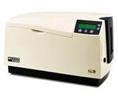
Following is a question received from our technical support response team:
Question:
When we turned on the printer and wanted to print a self test, the LCD display provides a please wait message for quite a long time. Nothing is happening with the printer. What is the issue?
Answer:
If you are running the self test from the LCD panel on the printer and not from the print driver on the computer, you may have a problem with your main control board in the printer.
If the problem persists, contact your solutions provider for technical assistance or the Fargo Technical Support line at 800-459-5636 for specific repair information.
For additional information about the current Fargo printer models, let our id card experts provide you with a free consultation.