
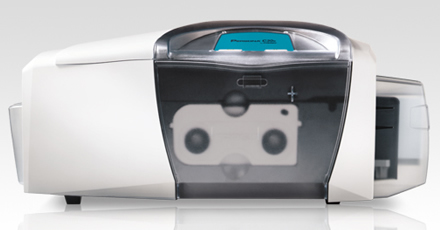
Needing to get technical assistance with your Persona C30e printer? Many of the resouces you need, such as current drivers and firmware, can be found and easly downloaded.
The following items are currently available for download:
Printer Drivers:
- Linux driver
- Driver windows
Printer Firmware:
- Persona C30e firmware
- Ethernet firmware
User Guide
Diagnostic Tools:
- Workbench – This is a utility that provides security, diagnostic and firmware upgrades. You can construct password controlled access to your printer, find Fargo sample cards and access key printer and ribbon information.
Visit the Fargo technical support page to locate the items needed.
For information about the Persona C30e or other Fargo printers, contact us for a free consultation at 888-485-4696.
Contact Fargo technical support for specific recommendations about your missing file. They can be contacted at 800-459-5636 or 1-952-941-9470.
Hello there,
I have an issue every time i want to install my Persona C30e printer.
When i start to go to the Fargo Workbench Installation, there must always file missing. But eventually the image file is exist, but it just can’t read the file.
Any further advise? ASAP
Pingback: Persona C30 and Persona C30e Printers - Ribbon Usage | SafeCardID.com